
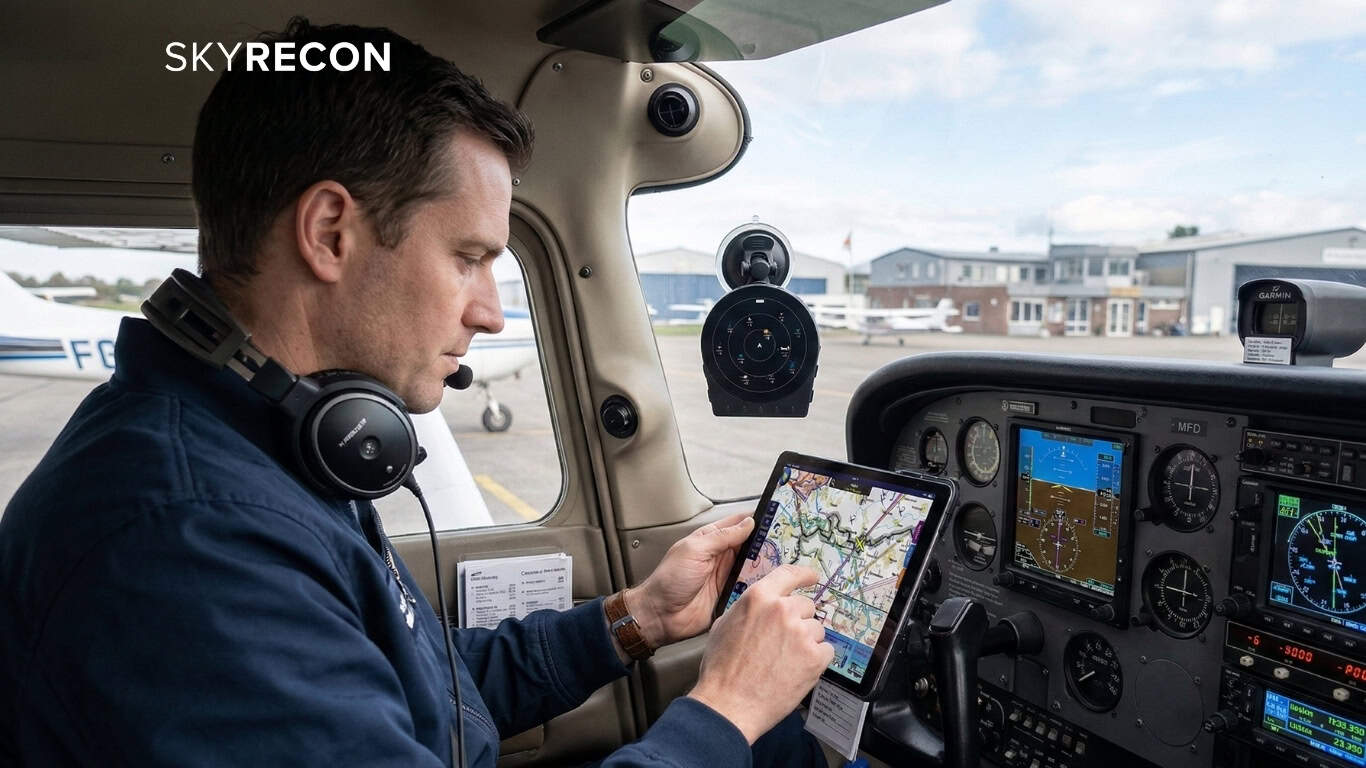
You have your portable ADS-B receiver. Your iPad is on the mount, your EFB of choice is running. Now you want traffic overlaid directly on the navigation map you already use, in the app you already know, displayed the way you have trained yourself to interpret it. Not on a separate screen you have to glance away from your chart to read.
This is exactly what the GDL90 protocol makes possible. For SkyRecon users, the portable ADS-B receiver setup from power-on to live traffic in your EFB takes under two minutes. This guide walks through the full process for ForeFlight and SkyDemon, explains how GDL90 EFB compatibility works and why it matters, and covers the real-world troubleshooting scenarios most likely to come up in use.
GDL90: The Protocol That Makes Everything Work Together
GDL90 EFB compatibility is the reason you do not need a proprietary app to use your portable ADS-B receiver.
GDL90 is a binary data-link protocol originally published by Garmin and subsequently adopted as an open industry standard by EFB developers worldwide. Because the specification is open, every major navigation application has built native GDL90 support: ForeFlight, SkyDemon, EasyVFR, WingX Pro, iFly GPS, FltPlan Go, AvPlan, AeroVie, and more.
When a portable ADS-B receiver for ForeFlight, or any GDL90-compatible app, broadcasts its data over Wi-Fi in GDL90 format, the EFB picks it up automatically and overlays the traffic on the moving map. No vendor lock-in. No proprietary subscriptions. No app changes. Your existing workflow, your existing charts, your existing instrument scan, with a fully populated traffic layer added.
For SkyRecon specifically, this means the SafeSky Inside traffic picture (pulling from over 30 sources including FLARM, FANET, OGN, and live community data from 75,000+ pilots) flows directly into your EFB as standard traffic symbols. You see more traffic than ADS-B alone can show, displayed within the app you already fly with. SkyRecon operates as both a Wi-Fi access point and a Wi-Fi client simultaneously, meaning it can receive internet from your phone's hotspot and broadcast GDL90 to your tablet at the same time. A single device handling both functions cleanly.
For background on what those extra traffic sources actually are, and why they matter, see our guide on electronic conspicuity in general aviation.
Phone Tethering vs. SIM Tray: Choosing Your Connectivity
To access SafeSky Inside's internet-sourced traffic layer, SkyRecon requires an internet connection. There are two ways to provide it:
Phone tethering: Enable your smartphone's Wi-Fi hotspot and SkyRecon connects automatically. This works well wherever you have a reliable phone signal and is the straightforward choice for most pilots.
SkyRecon Data+ SIM tray: The Data+ variant includes a SIM card tray so you can insert your own data SIM for always-on connectivity independent of your handset. For pilots who regularly fly in areas of limited mobile coverage (remote strips, mountainous regions, or rural cross-country routes), this removes the one dependency that could disrupt the SafeSky Inside data layer mid-flight.
Without an internet connection, SkyRecon continues to operate as a fully functional standalone ADS-B receiver, displaying locally received 1090MHz and 978MHz traffic on its round 3.4-inch LCD screen without any EFB pairing required.
Common Troubleshooting Scenarios
Traffic disappears mid-flight: The most common cause is the tablet reconnecting to a previously remembered Wi-Fi network. Ensure SkyRecon's network is set to auto-join and that mobile data settings have not caused Wi-Fi to drop.
Device not appearing in ForeFlight's device list: Confirm the tablet is connected to SkyRecon's network, not the airport or home Wi-Fi. ForeFlight discovers GDL90 devices automatically on the local network. If SkyRecon is not appearing, the connection is always the first thing to check.
SafeSky data not populating in remote areas: If this is a regular occurrence in your operating area, the Data+ SIM tray variant is the practical solution. Always-on internet from your own SIM, independent of phone coverage.
Your EFB, Richer Traffic, Two Minutes to Connect
The goal of a portable ADS-B receiver for ForeFlight, SkyDemon, or any other EFB is to enrich the picture you already fly with. Not to replace it. Not to add a new interface to learn. Not to force you into a proprietary ecosystem. GDL90 delivers that cleanly, and SkyRecon's setup requires nothing beyond a two-minute Wi-Fi connection.
For deeper detail on how SkyRecon fills the traffic blind spots that radio-only receivers miss, or for the full hardware overview including CO monitoring and pricing, return to our complete guide on the best portable ADS-B receiver for general aviation.
Get in touch to learn more about SkyRecon and how to bring multi-source traffic into the apps you already fly with.